Made in Niagara Park, NSW · Est. 2024Free shipping over $150 · Tracked Australia-wide deliveryhello@metalmarvel.com.au
GUIDE
AI Designer Prompt Examples
A practical prompt library for asking Metal Marvel AI Designer to edit the sign already on your canvas.
Better prompts ask for one clear manufacturing-aware change. Tell AI Designer what to keep, what to change, and whether the result should be cut, engraved, stencil-safe, or easier to read.
Prompt Formula
Use this pattern: keep this, change that, and preserve the manufacturing intent. The more clearly you describe the target, the less AI has to guess.
- Keep: Tell AI what must stay the same: wording, material, size, cut mode, layout, or a specific layer.
- Change: Ask for one visible edit: bolder letters, a cleaner font, a symbol, spacing, material, or engraving.
- Manufacture: Mention cut-out, cut-in, stencil-safe, engraved, outdoor readable, coastal, lightweight, or mounting needs.
Prompt Examples
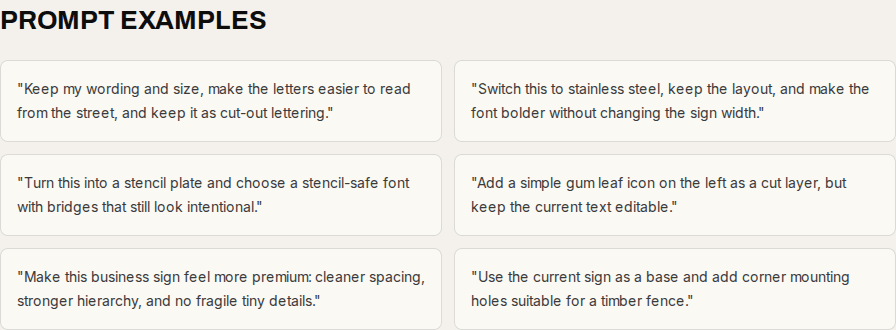
"Keep my wording and size, make the letters easier to read from the street, and keep it as cut-out lettering."
"Switch this to stainless steel, keep the layout, and make the font bolder without changing the sign width."
"Turn this into a stencil plate and choose a stencil-safe font with bridges that still look intentional."
"Add a simple gum leaf icon on the left as a cut layer, but keep the current text editable."
"Make this business sign feel more premium: cleaner spacing, stronger hierarchy, and no fragile tiny details."
"Use the current sign as a base and add corner mounting holes suitable for a timber fence."
Prompts To Avoid
- Too broad: Make it awesome. This gives AI no manufacturing direction and can change too much at once.
- Too visual only: Make it look like a poster. The result still needs cut paths, material, and mounting logic.
- Conflicting: Use tiny detailed script and make it readable from the road. Choose readability or detail first.
By Metal Marvel Workshop · Updated 16 June 2026